Team Generator Wheel: Make Fair Teams Instantly
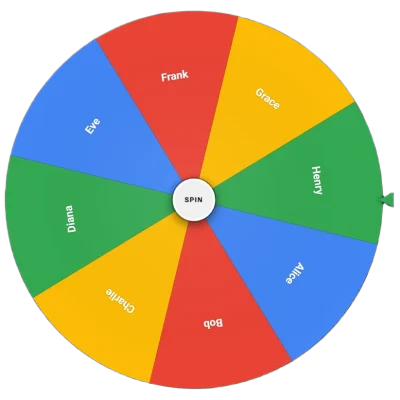
The team generator wheel splits any group into balanced sides in seconds. Add the names, spin to assign each person, and let the wheel build the teams so nobody can claim the picks were unfair. It is free, runs in your browser with no sign up, and works for gym class, a five a side match, a quiz night, or any time you need to divide a group without the awkward captains picking last routine.
How to use the team generator wheel
You can have teams ready in about a minute.
- Add every name. Type or paste all the people in the group into the options panel, one per entry.
- Decide your method. To assign people one at a time, spin and send each result to a team in turn. To draw team labels instead, load the team names and spin per person.
- Turn on "remove after spin" so each name is taken off once assigned, which stops anyone being picked twice.
- Spin through the group. Keep spinning until everyone has a team, alternating sides so the numbers stay even.
- Read the teams. Note the final lineups before you refresh, since the wheel does not save them.
What this tool does
The team generator wheel takes the names you add and selects one at random per spin, which you assign to a team as you go. With "remove after spin" on, each person is drawn only once, so you can run through the whole group cleanly and end up with complete teams. There is no limit on group size, and the wheel resizes its segments so a long roster stays readable.
Each spin uses a fresh random rotation and stopping angle, so every name of equal segment size has the same chance, and a result never depends on the spin before it. That randomness is the point: it removes any suspicion that the strongest players were stacked on one side or that friends arranged to be together. The wheel decides, so no person has to.
Key features
- Any group size. Add as many names as you need and the wheel fits them.
- Remove after spin. Each person is assigned once, with no repeats.
- Fair by design. Equal segments share equal odds, with no memory of past spins.
- No captains needed. Nobody gets picked last and nobody stacks the sides.
- Instant access. No account, no download, no app.
- Works on any device. Run it on a phone at the field or a laptop in class.
Practical use cases
PE and gym class
Split a class into even teams without the slow captains picking ritual, which spares the last picked students an uncomfortable moment.
Pickup sports
Divide players for a five a side or pickup game so the sides feel fair and the match stays competitive.
Quiz and game nights
Break a party into teams for trivia or board games, with a random split nobody can argue with.
Group projects
Assign students or colleagues to working groups fairly. To pick a single person rather than form teams, the random name picker wheel is the right tool.
Tips for balanced teams
A few habits make the split feel fair and run smoothly. For a deeper look at fair grouping methods, see the random team generator guide.
- Turn on remove after spin. Without it, the same person can be drawn twice, which breaks the split.
- Alternate as you assign. Send spins to teams in turn so the sides end with even numbers.
- Spin on a shared screen. Letting the group watch each assignment is what makes the result feel fair.
- Add an extra to odd groups. If numbers do not divide evenly, decide in advance which team carries the extra player.
Limitations and considerations
The team generator wheel splits a group at random, but random is not the same as skill balanced. It does not know who the strongest players are, so for a serious match you may want to seed key players across teams by assigning them first, then spinning for the rest. For casual play, a fully random split is usually fair enough and feels the most neutral.
The tool also keeps no record between sessions, so capture the final teams before you refresh. For very large groups where spinning person by person is slow, splitting the roster in halves first and spinning within each can speed things up.
Frequently asked questions
How do I make two even teams?
Turn on remove after spin, then send each result to a team in turn, alternating sides. Keep spinning until everyone is assigned and the numbers stay balanced.
Is the split really random?
Yes. Each spin uses a fresh random rotation and stopping angle, so every name of equal segment size has the same chance and past spins do not affect the next.
Can I make more than two teams?
Yes. Assign spins across as many teams as you like, sending each result to the next team in rotation so all groups fill evenly.
Does it save the teams?
No. Nothing is stored between sessions, so note the final lineups before closing or refreshing the page.
Conclusion
The team generator wheel turns dividing a group into a quick, fair, and visible process. Add every name, turn on remove after spin, and spin through the group alternating sides for even teams. When you need to split a group without anyone feeling cheated, add your names above and let the wheel build the teams.
Related Wheels